A contact form has one job: get you a message you can handle without writing back. Most fail at it. "Hi, I'd like some information" tells you neither who is writing, nor why, nor how urgent it is. But the opposite excess lurks too: ten required fields just to say hello, and the visitor leaves.
This article offers a balance: the fields that earn their place, the design mistakes that cost you messages, and what to know about the personal data you collect along the way.
The minimum: name, email, message
Three fields are enough for a message to arrive and a reply to go out. The name to address the person, the email to answer, the message to know why they write. Everything else has to justify itself. The GOV.UK Design System puts the rule this way: "you should make sure you know why you're asking every question and only ask users for information you really need."
The Nielsen Norman Group, which studies form usability, spells out the same idea: removing unnecessary fields takes time, but the reduced user effort and higher completion rates make it worthwhile. It suggests eliminating fields whose information can be derived another way, gathered later, or omitted.
What earns an extra field
Above the minimum, a field should make your reply faster or more accurate. Four additions come up often.
A subject, as a list
"Pre-sales question", "Support", "Partnership", "Press", "Other". A list of four or five options sorts messages before you read them and lets you route them to the right person. It is the field that pays off most for the least effort. Keep "Other". If you have several subjects, the choice can also decide what follows: a "Support" subject asks for an order reference, a "Press" subject asks for the outlet.
A reference, when there is one
Order number, invoice number, address of the site concerned. Only ask for it for the subjects that need it: the field only appears if the person picked "Support." That is conditional logic, and it spares everyone a long form for the benefit of a few.
An instruction in the message
A message that starts with "Hello" and ends with "thanks" has no content. A help line under the field guides: "Describe what you want to do and what is blocking you." It is the most profitable part of the form. To see why, read Why your forms get vague answers.
A way to reach them, only if you use it
A phone number is useful for a quick callback or an urgent request. If you never call back, do not ask. If you ask, make it optional and say what it is for.
What to avoid
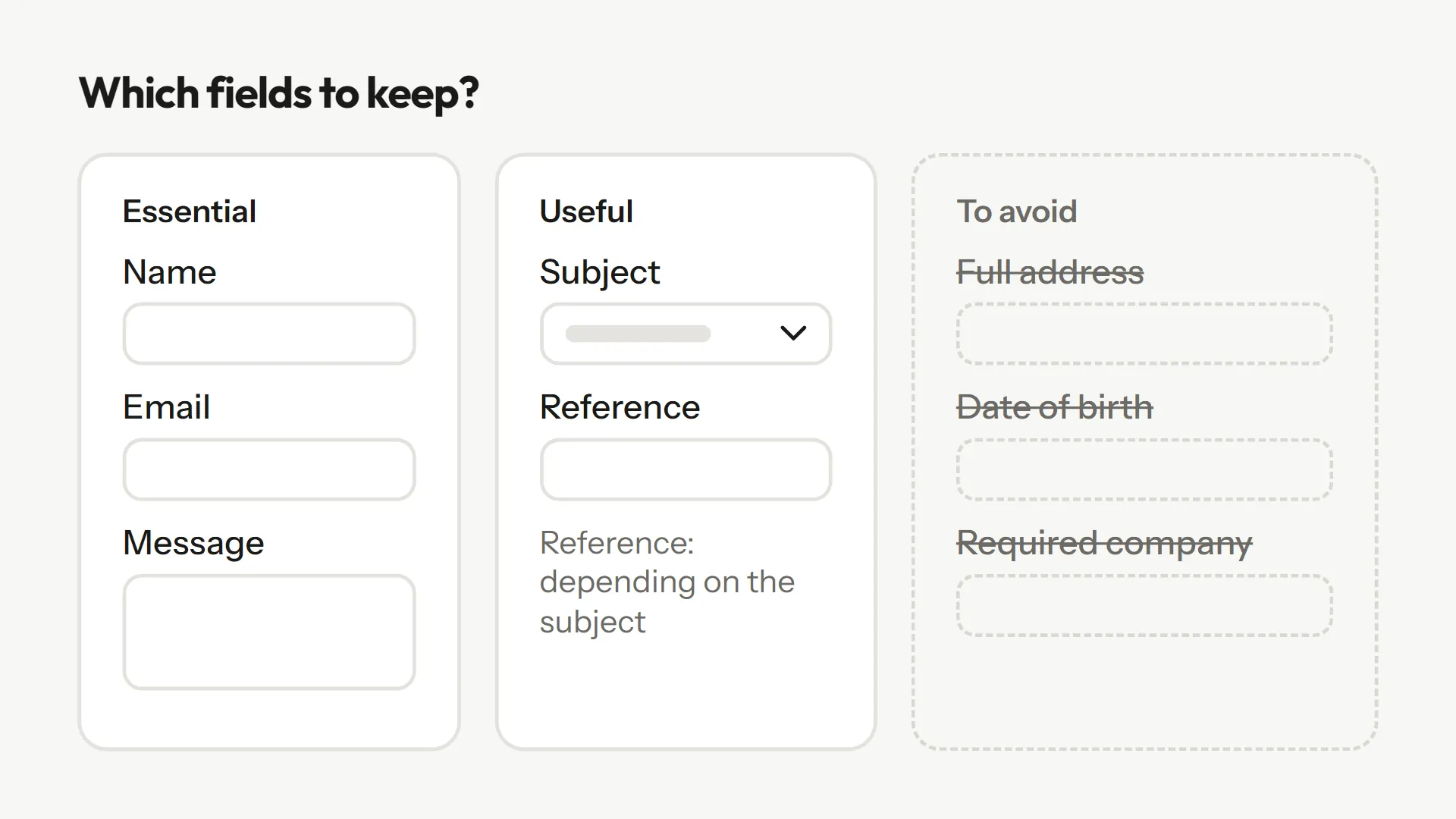
- Full postal address and date of birth, with no obvious reason. The GDPR asks for data that is "adequate, relevant and limited to what is necessary" (Article 5(1)(c)). A contact message does not need your date of birth.
- A high number of required fields. Only mark as required what you cannot do without; for the others, label them clearly as optional. The Nielsen Norman Group advises limiting optional fields to one or two at most.
- A free-text "subject". It gives you one more field to read without helping you sort.
- An error message that wipes the input. If validation fails, keep what was typed.
- No confirmation. After sending, say the message arrived and when you will reply. A deadline you keep beats an ambitious one.
Labels: the most frequent mistake
Many forms replace the label with grey text inside the field ("Your name", "Your message"). It looks neat, and it causes trouble. The Nielsen Norman Group notes that disappearing placeholder text strains short-term memory and stops people checking their input before sending. On accessibility, the W3C WAI says to provide labels to identify all form controls, including text fields, checkboxes, radio buttons and drop-down menus.
A last detail on the button: label it with what happens ("Send my message") rather than a bare "Submit". It costs nothing, and it reassures the person that the click will do what they expect.
Personal data: a minimum to respect
A contact form collects personal data: a name, an email, sometimes more. The GDPR applies as soon as you collect such data from people in the European Union. The principle of data minimisation boils down to collecting only what is necessary. The French regulator CNIL gives a telling example: keep only the year of birth if that is all you need.
In practice: do not add a field out of curiosity, say next to the send button what the data is for and who can see it, and do not keep messages longer than needed. These are pointers, not legal advice: if your case is unusual, check the regulator's site.
Going further: a contact form that qualifies
For a company that receives many requests, the contact form can do the qualifying work. The "Qualified demo request" template asks a few closed questions to sort, then an open question about the need: if the answer is of the "we want to manage our leads better" kind, Blob follows up ("Better how? Where do you lose time or contacts today?"). You receive a request that has already been looked into. For a quote rather than a contact, read What to ask in a quote request form.
A typical contact form
| Field | Required | Why |
|---|---|---|
| Name | Yes | Address the person |
| Yes | Reply | |
| Subject (list) | Yes | Sort and route |
| Reference (by subject) | By subject | Find the order or file |
| Message, with instruction | Yes | Understand the request |
| Phone | No | Urgent callback, if you call back |
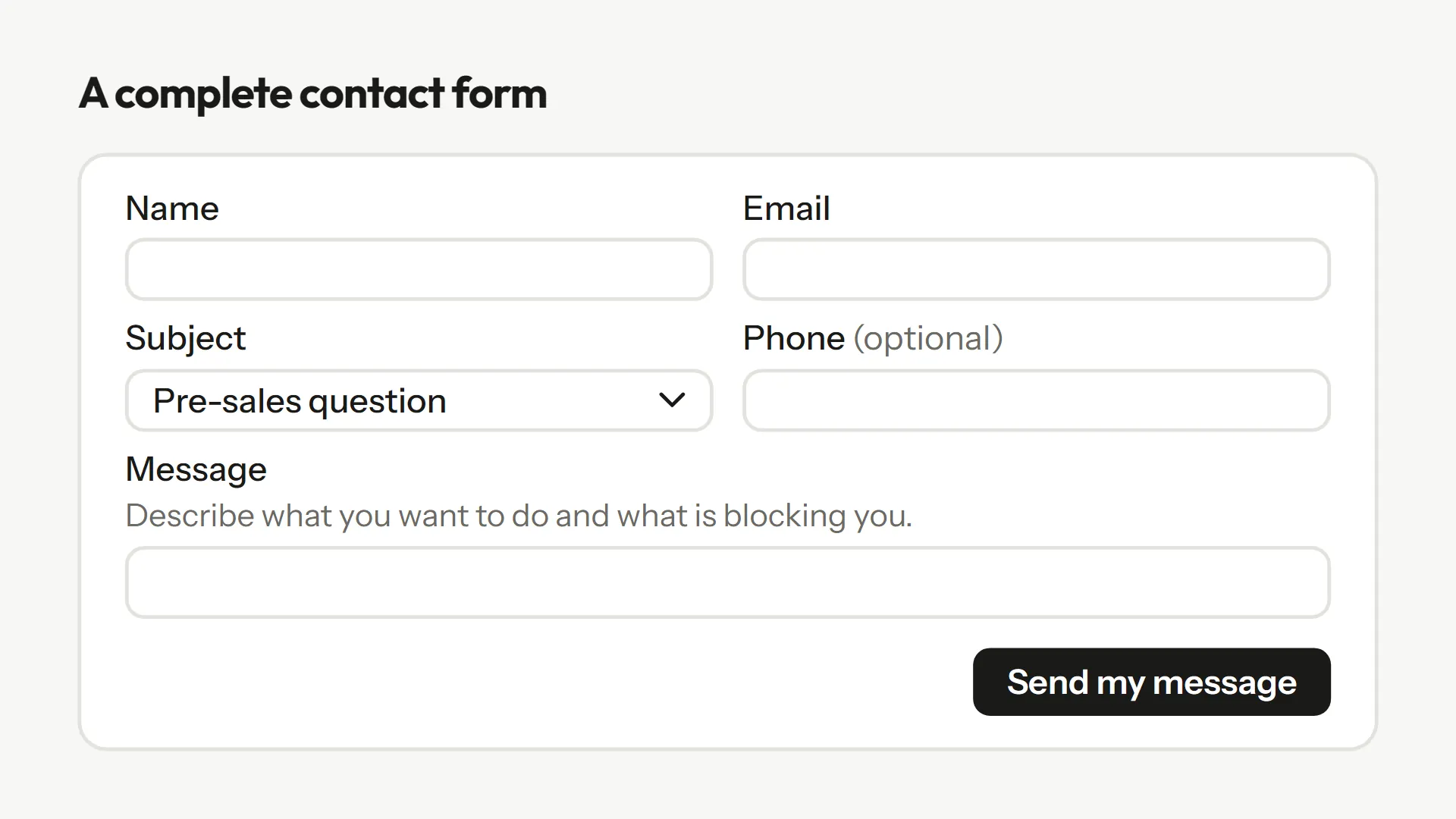
Six fields at most, and the reference only appears for some subjects. It is a starting point: reread your messages every month and adjust.
Frequently asked questions
Three are enough: name, email, message. Add a subject as a list, and a reference if some subjects need one. Beyond that, each field has to justify itself.
Only if you really call people back. In that case, make it optional and say what it is for.
No. It disappears as you type, strains memory and hampers checking. A visible label above the field is safer.
What is necessary to reply. The GDPR asks for data that is adequate, relevant and limited to what is necessary.
Add an instruction under the message field, offer a subject as a list, and, where possible, follow up on messages that are too short.
Sources
These pages were opened and read while writing; the quotes come from them.
- Nielsen Norman Group, "Website Forms Usability: Top 10 Recommendations" : Remove unnecessary fields, limit optional fields.
- Nielsen Norman Group, "Placeholders in Form Fields Are Harmful" (Katie Sherwin) : Placeholder text does not replace a label.
- W3C WAI, "Labeling Controls" : Provide labels for all form controls.
- GOV.UK Design System, "Question pages" : Know why you ask each question.
- GDPR, Article 5(1)(c) : Data minimisation.
- CNIL, "Minimiser les données collectées" : The year-of-birth example.