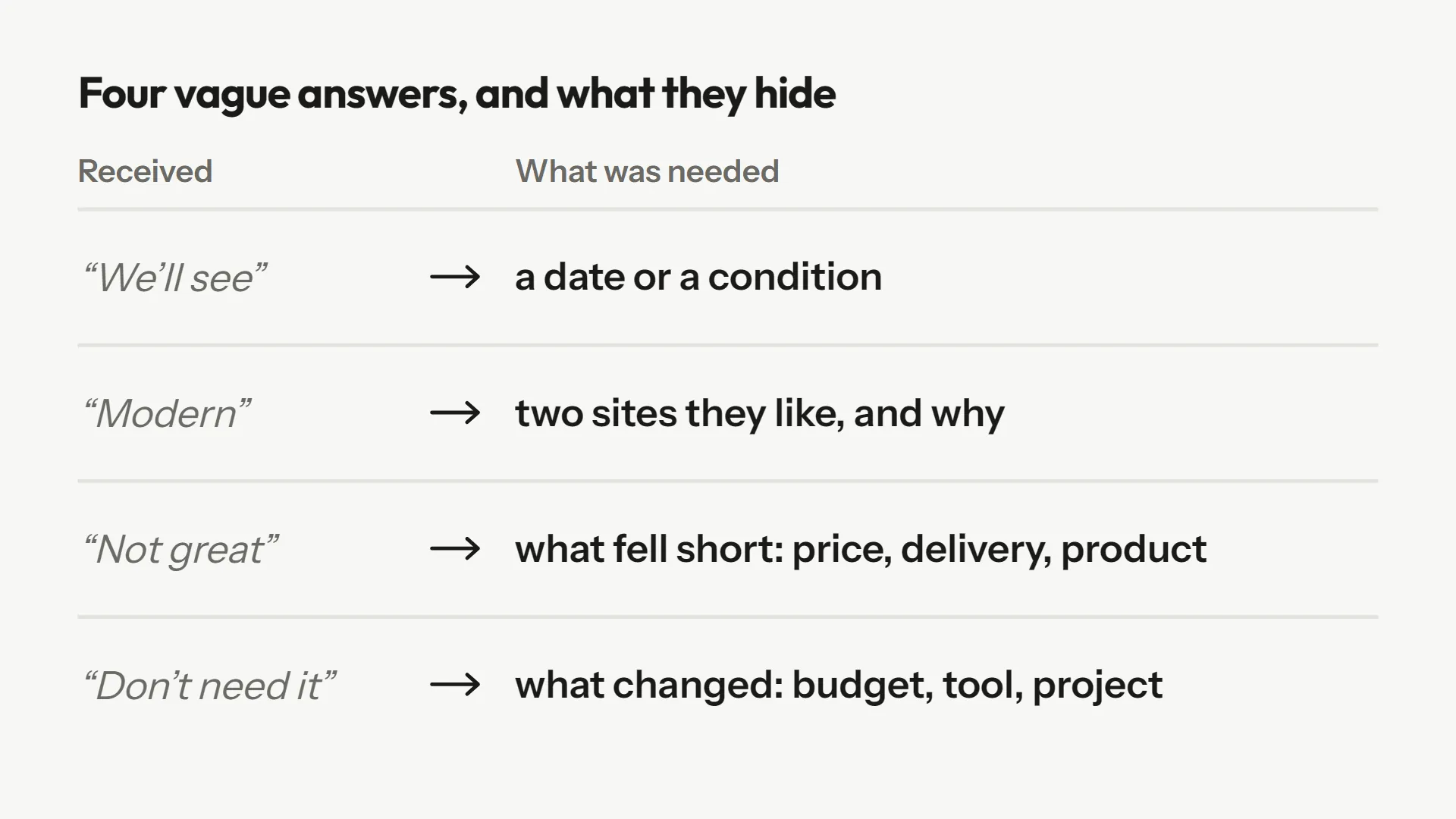
"What's your budget?" "We'll see." "What did you think of the service?" "Not great." "What are you looking for?" "Something modern." If you run a contact, quote, hiring or satisfaction form, you have read these answers a hundred times. They teach you almost nothing, and they force you to write to the person to find out what they meant.
It is tempting to blame respondents. It is usually unfair. A vague answer is what happens when answering precisely takes more effort than the person planned, and nothing in the form helps. Let's look at where the phenomenon comes from, then at what works to reduce it.
Where vague answers come from
Answering precisely takes effort
Survey researchers have a word for it: satisficing. Jon Krosnick, in his 1999 review of survey research, describes respondents who, instead of looking for the best answer, settle for an acceptable one. How likely that is depends on three factors: the difficulty of the task, the respondent's ability and their motivation. An empty box asking to "describe your project" is a hard task, handed to someone who has not yet decided to invest.
Respondents do not know what you need
"Modern" is a complete answer for the person who writes it. They do not know their designer will have to guess whether it means minimalist, colourful or "like Apple." The person answering lacks your context. They cannot tell the difference between an answer that is enough and one that blocks you.
The form does not say what a good answer looks like
An empty text box does not say whether you expect a word or a paragraph. A study of web surveys compared several ways of framing the answer: instructions explaining the quality expected improved answers for all participants, while enlarging the answer box only helped those who were already taking their time. The result comes from a sample of American students: treat it as a solid lead, not a law.
What vague answers cost
- One more round trip. You write, the client answers (or not), and your first price slips later.
- Decisions on shaky ground. A satisfaction survey full of "not great" does not say what to fix.
- No way to triage. In a list of requests, the serious ones and the others look alike.
- Frustration on both sides. The respondent feels they answered; you feel you received nothing.
Five fixes, from simplest to most complete
1. Ask the question more precisely
"What do you want?" invites "something modern." "Name two sites you like and what you'd keep from each" invites a usable answer. Ask the question whose answer is an example, a number or a comparison. It is the cheapest fix: it costs only a few words.
2. Show an example of a good answer
One line under the question is enough: "For example: 50 sq ft, swapping the tub for a walk-in shower." Mind the example itself: if it is too close to what you expect, every respondent will copy it. Pick an example from a different topic that shows the level of detail without feeding the content.
3. Replace the free field with a choice when answers are known
For budget, timing, project type, a list of choices is faster to fill in and leaves no room for "we'll see." The Pew Research Center tested the difference: asked about the most important problem facing the country, more than half of respondents (58%) chose the economy when it was in the list, versus 35% when they had to name it themselves. A list steers, so only use it when you know the possible answers.
4. Keep the question open for what you cannot predict
The same Pew text shows the value of the open version: 43% of those asked the open question gave an answer missing from the closed list. Special cases, surprises and customers' own words live there. The most effective approach is to combine both: a choice to sort, then an open question to specify (see open vs closed questions).
5. Follow up right away
The first four fixes reduce vague answers without removing them. The fifth tackles what remains: instead of receiving "Not great" and writing three days later, the form asks the next question while the person is still at their screen. It is what a good interviewer does: they do not write down "not great," they ask "what wasn't great?".
Blob's follow-up in practice
In Askwell, you mark a question as "follow-up." When the answer is too short or too general, Blob asks one next question, anchored in what the person just wrote. They can skip it. Here are examples from our templates:
| Vague answer | Blob's follow-up | Answer obtained |
|---|---|---|
| "Not great." | "Which part, exactly: delivery, the product, support?" | "The package came late and support never answered my email." |
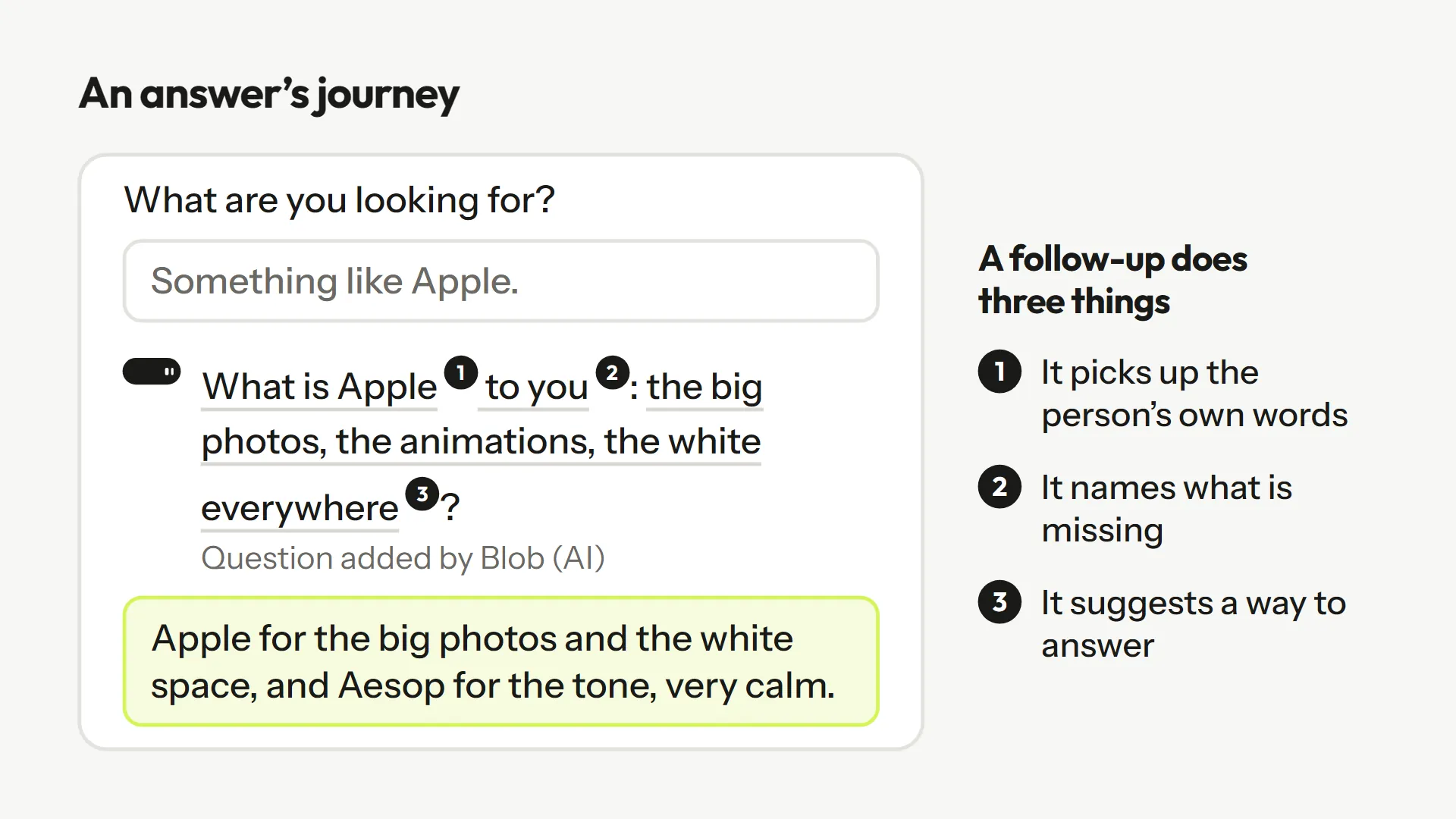
| "Something like Apple." | "What is Apple to you: the big photos, the animations, the white everywhere?" | "Apple for the big photos and the white space, and Aesop for the tone, very calm." |
| "We want to manage our leads better." | "Better how? Where do you lose time or contacts today?" | "Requests come in by email and nobody knows which are serious." |
| "Don't need it anymore." | "Don't need what: the main feature, or everything?" | "I used it for a project that ended in June." |
Each follow-up does three things: it picks up the person's own words, names what is missing and suggests a way to answer. You can see it at work on the "Qualified demo request" template, the "Customer pulse in 2 questions" template or the website project brief, and have fun with the "What kind of dinner guest are you?" quiz.
Limits to know about
Following up costs attention. If every answer triggers a follow-up, visitors leave. Two rules avoid this trap. First, only follow up on questions where precision changes your decision: budget, need, reason for leaving. Second, always leave the choice to skip. A mandatory follow-up is one more required field, and the GOV.UK Design System reminds us to only ask for what we really need.
Finally, a follow-up does not replace a good question. If most respondents trigger the same follow-up, it is the original question that needs rewriting. Follow-ups are a safety net, not a method.
Frequently asked questions
Because answering precisely takes effort, respondents often do not know what you need, and the form does not show what a good answer looks like.
No. A required field produces required answers, often worse. Better to clarify the instruction, give an example and follow up.
It can, if systematic. Reserve it for decisive questions, one follow-up per question, and always allow skipping.
Not always. A list steers answers toward what you planned for. Keep one open question for the rest.
Sources
These pages were opened and read while writing; the quotes come from them.
- Krosnick, "Survey Research", Annual Review of Psychology, 1999 : Satisficing and its three factors: task difficulty, respondent ability and motivation.
- Pew Research Center, "Writing Survey Questions" : Open vs closed questions: 58% vs 35% for the economy; 43% of answers absent from the list.
- Smyth, Dillman, Christian and McBride, Public Opinion Quarterly, 2009 : Instructions and answer box size in open-ended questions of a web survey.
- GOV.UK Design System, "Question pages" : Only ask for the information you need.