You are writing a form and every question raises the same dilemma. "What type of project?": a list or a text box? "How did you hear about us?": five checkboxes or a free field? The choice is not cosmetic. It decides what you learn, how much effort you ask of the person, and how long you will spend sorting answers afterwards.
What open and closed questions are
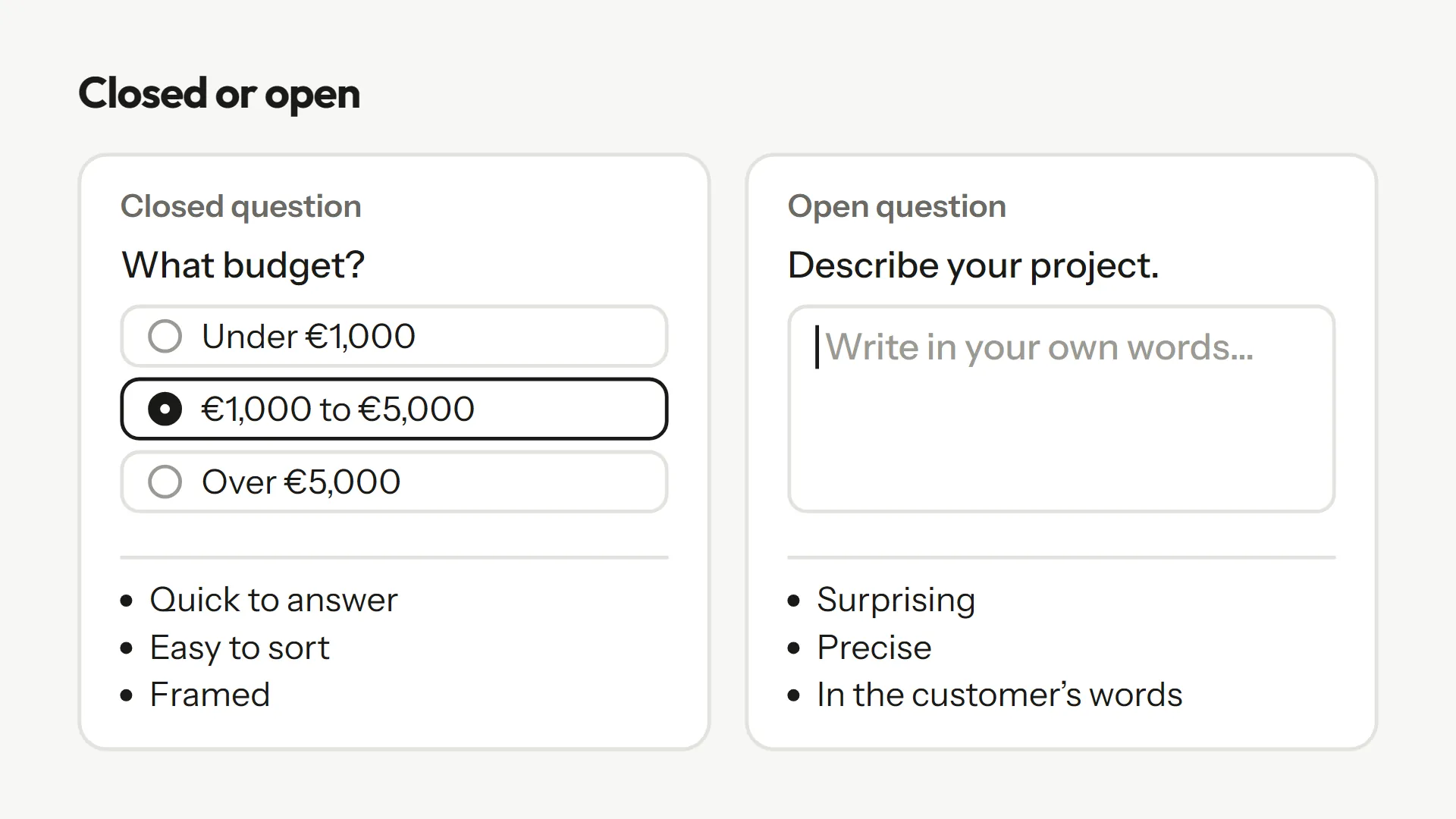
The Pew Research Center, one of the major US polling institutes, defines them simply: an open-ended question lets respondents answer "in their own words," a closed-ended question has them pick "from a list of answer choices." In a form, the first is a text box, the second a drop-down, radio buttons or checkboxes.
What closed questions give you
- They are fast. A click replaces a sentence, which matters on a phone.
- They sort. You can count, filter, compare, or route the person to the right next step.
- They frame. Answers stay within what you know how to handle.
Pew gives a numbers example. Asked about the most important problem facing the country, 58% chose the economy when it was in the list, versus 35% when they had to name it themselves. And fewer than one in ten (8%) gave an answer outside the five that were read to them. A list makes answering easier, and it steers it.
What open questions give you
- They surprise. They reveal what you had not planned for.
- They give you the customer's words, which you can reuse in your offer or your site.
- They specify. A size, a name, a date, an example.
In the same study, 43% of the people asked the open version gave an answer that was not in the closed list. Pew also notes that researchers sometimes run a pilot with open questions to find out which answers are most common before building the list. The same principle applies to you: if you do not know the possible answers yet, ask the open question first.
The hidden cost of open questions
An open question costs the person more, and you pay for it in short or vague answers. Jon Krosnick calls satisficing the habit of settling for an acceptable answer rather than looking for the best one; in his 1999 review, task difficulty is one of three factors that drive it. An empty box and a big topic make a hard task.
Fortunately, how you ask matters. A study of web surveys showed that instructions stating the quality of answer expected improve answers. So add a line of instruction to your open questions: "A few sentences are enough: the size and what changes." And for the ones that stay vague, follow up straight away (see why your forms get vague answers).
A simple rule to decide
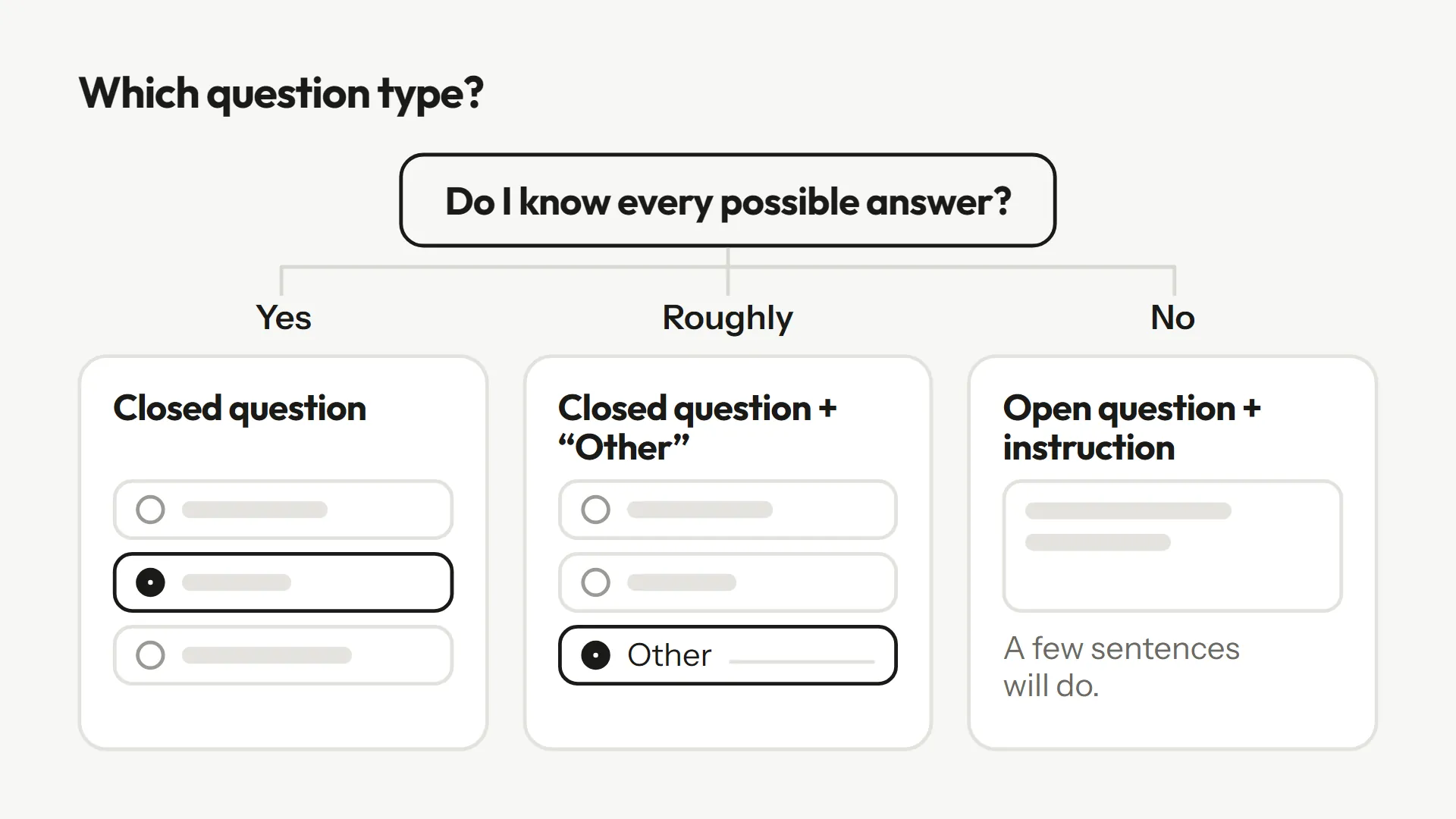
Ask yourself one question per field: do I know all the possible answers?
- Yes: closed question. Project type, budget range, deadline, company size, day of attendance.
- No, but I know roughly: closed question with an "Other" option that opens a field.
- No, and that is what I want to learn: open question, with an instruction.
The "Other, please specify" option is a form's best friend. It keeps the speed of the list for the majority and leaves a door open for those who do not fit. In Askwell, conditional logic shows a question only to those it concerns: in the "Website project brief" template, "Roughly how many products?" only appears for an online store.
Concrete cases
| Need | Question | Type |
|---|---|---|
| Sort quote requests | What type of project? | Closed (list) |
| Price accurately | Describe what changes and the size | Open, with instruction |
| Measure satisfaction | Score from 1 to 5 | Closed (scale) |
| Understand a low score | What wasn't great? | Open, with follow-up |
| Know where the client came from | How did you hear about us? | Closed + "Other" |
| Assess an application | Why this role with us? | Open, with follow-up |
The "Job application" template shows the balance: closed questions for the role and availability, a single open one for motivation, followed up if the answer is of the "I'm motivated and dynamic" kind. The "Customer pulse in 2 questions" template does the same with a scale and a single open question.
An example: rewriting a question
Take "What do you think of our service?" in a text box. The answers will be "good", "fine", "not great": three words you cannot sort. Two rewrites are possible. If you want to measure, switch to a 1 to 5 scale, possibly followed by "What mattered most in that score?", open and optional. If you want to understand, keep the open question but tighten it: "Which part of the service helped you most, or got in your way?". Either way, the question says what is expected of it.
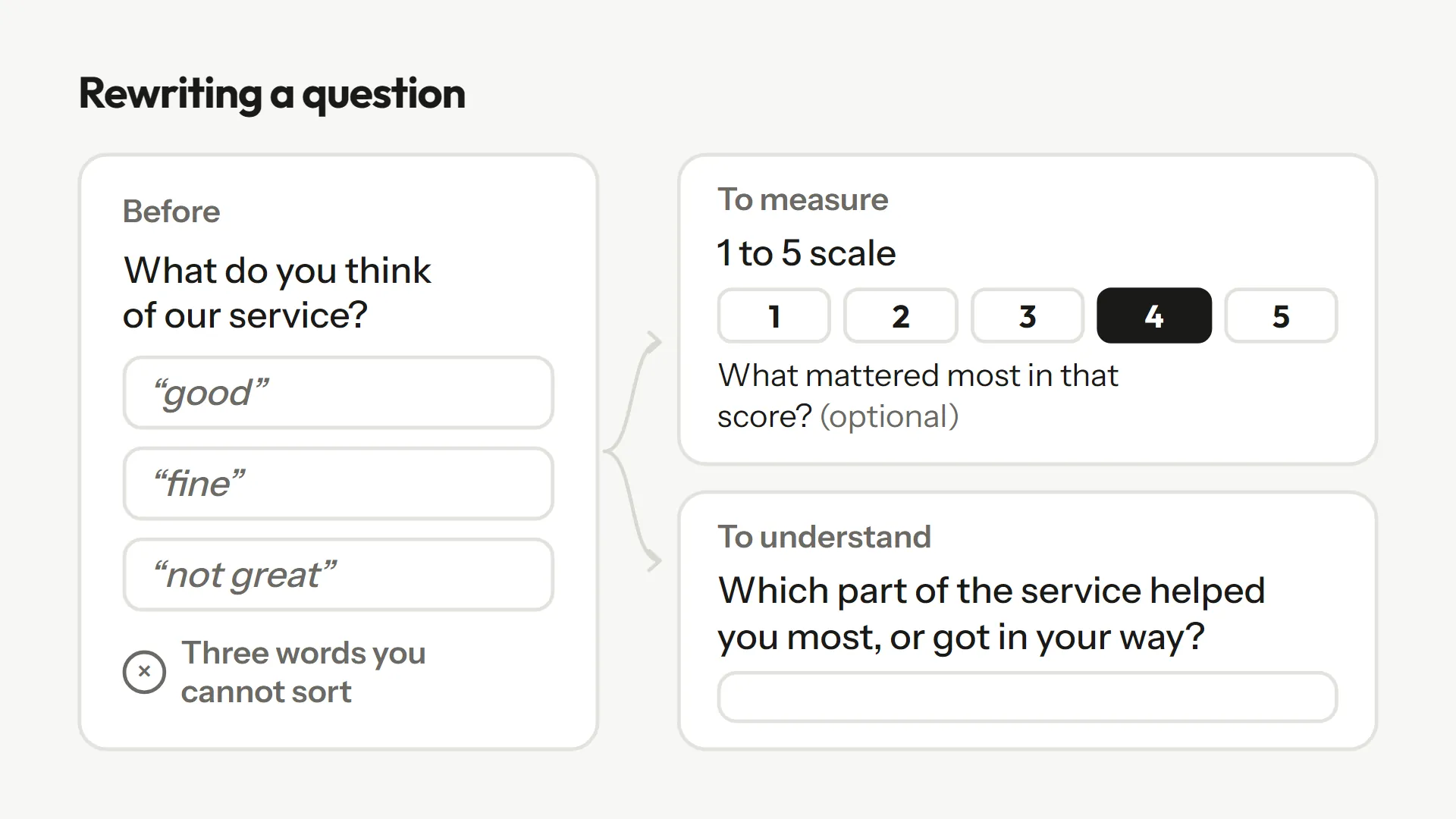
What both versions share: they only ask for one thing at a time. A question with two subjects ("the delivery and the support?") gets an answer about one of them. Write one question per field, and let the form's logic decide which one comes next. If a second subject matters, give it its own question, shown only to the people it concerns, rather than squeezing it into the first.
Common mistakes
- Free fields for things that can be chosen. Asking everyone to write "under 2,000" or "around 2k" makes sorting impossible.
- Lists with no way out. If no option fits, people pick at random or leave.
- Placeholder text in place of a label. Grey text that disappears when you type strains short-term memory and stops people from checking their answer (Nielsen Norman Group). A visible label above the field fixes it.
- Too many open questions. Each one costs effort. Two or three well-chosen ones beat eight.
A good form is nearly always a hybrid: closed questions that sort and frame, a few open questions where you need to understand, and, on those, something to follow up when the answer stays thin.
Frequently asked questions
Neither, in general. Closed when you know the possible answers, open when you want to learn what you had not planned for. Most of the time, you combine both.
One to three is enough for most forms. Each one demands real effort from the respondent, so keep them for where the answer changes your decision.
It keeps the speed of a list for most respondents and gives a way out to those whose answer was not planned.
Reread them in batches and group them by theme. If the same theme keeps coming up, turn it into an option in the closed list.
Sources
These pages were opened and read while writing; the quotes come from them.
- Pew Research Center, "Writing Survey Questions" : Definitions, 58% vs 35%, 43% of answers outside the list, order effects.
- Krosnick, "Survey Research", Annual Review of Psychology, 1999 : Satisficing and task difficulty.
- Smyth, Dillman, Christian and McBride, Public Opinion Quarterly, 2009 : Effect of instructions on open answers online.
- Nielsen Norman Group, "Placeholders in Form Fields Are Harmful" (Katie Sherwin) : Why placeholder text does not replace a label.